Build complex documents from a library of reusable template blocks. Track every change. Collaborate with reviewers. Publish with confidence.
Structured document creation and management that finally makes sense.

Build complex documents from a library of reusable template blocks. Track every change. Collaborate with reviewers. Publish with confidence.
Structured document creation and management that finally makes sense.
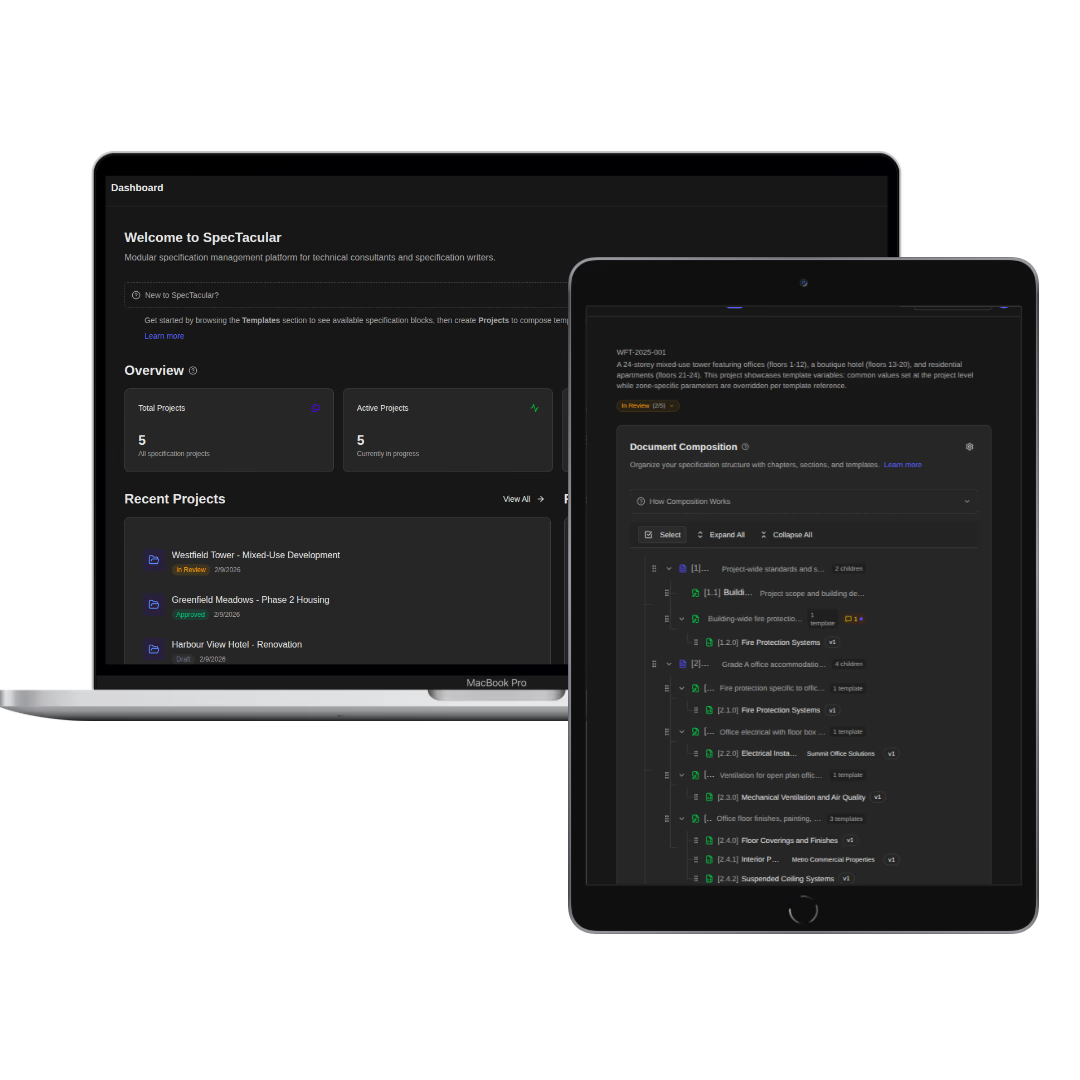
Most organizations manage documents the same way: copy last quarter's version, rename it, change what you remember to change, hope nothing slipped through. It works until it doesn't.
The problems are familiar. A compliance clause gets updated, but only in two of the twelve documents that reference it. A proposal goes out with a boilerplate section that was quietly revised months ago in a different file. A reviewer's comments sit in an email thread with no connection to the document itself. Nobody can say for certain which version the client signed off on.
If you're managing specifications, proposals, contracts, or policies with tools designed for writing rather than for managing structured, repeatable content, the mess is built in.
SpecTacular is built around a different idea: documents are compositions of versioned blocks, not monolithic files. You build a library of reusable template sections, each with its own version history, organized by category and tag. When a new project starts, you pick sections from that library instead of copying from whatever project came before.
Where this pays off is when something changes. Update a template section and every project using it gets flagged. You decide when to pull in the update, project by project. If a project has deliberately diverged from the standard, that divergence is tracked as a variant with its own history. Nothing drifts without someone knowing about it.
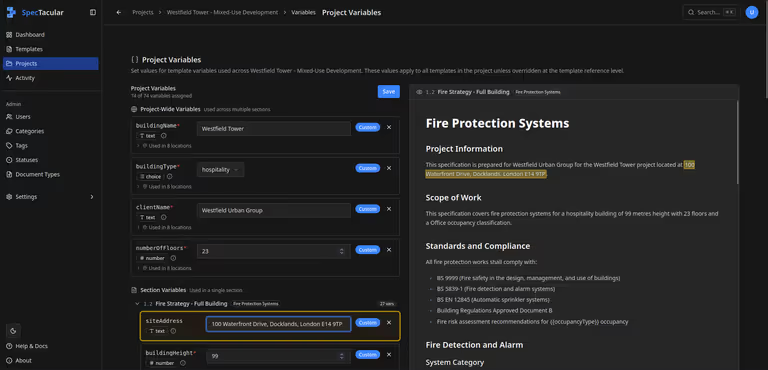
Documents that share structure but differ in details (client names, site addresses, reference numbers) don't need separate copies. You define variables inline in your template text and set values at the project level. One template works across every project, with the specifics filled in automatically.
External reviewers get a secure link with an expiration date. No account needed. They comment directly on sections. Every comment has a status: open, addressed, resolved. The review has a finish line, which is more than you can say for a chain of emails about section 3.2.
Every template tracks its revision history. Every project tracks its composition history. These two timelines are independent, so you get a clear record from first draft to final export. When you generate a PDF or static site, that output is tied to a specific snapshot you can pull up and compare later.
SpecTacular can run on your own infrastructure. Documents, templates, and history stay on your servers. Managed hosting is available too, for teams that don't want to maintain infrastructure themselves. AI features connect to any OpenAI-compatible endpoint, including local models, so sensitive content doesn't leave your network unless you decide it should.
Teams that repeatedly assemble larger documents from sections that could be standardized. Technical specifications, project proposals, service contracts, company policies, compliance docs, product manuals. If your workflow involves copying sections from old projects into new ones, SpecTacular replaces that habit with something that actually keeps up.
You're probably used to spending days or weeks reworking old documents to create new ones. Trying and sometimes failing to keep track of what version you sent out for review, who commented on what, and what revision is truly the final 'final' one. We built SpecTacular to end this madness.
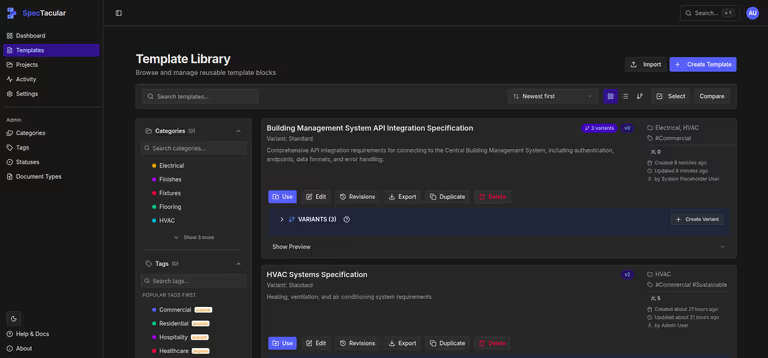
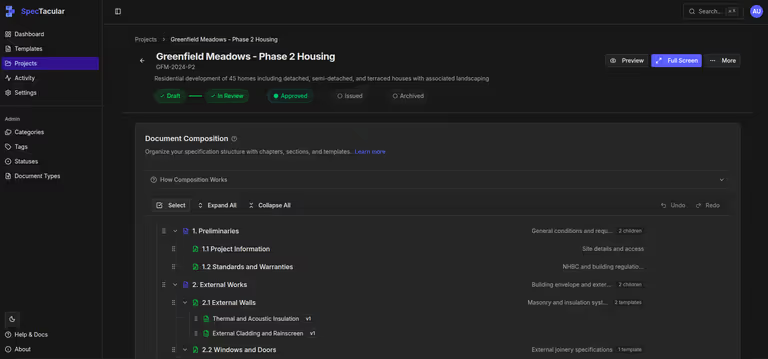
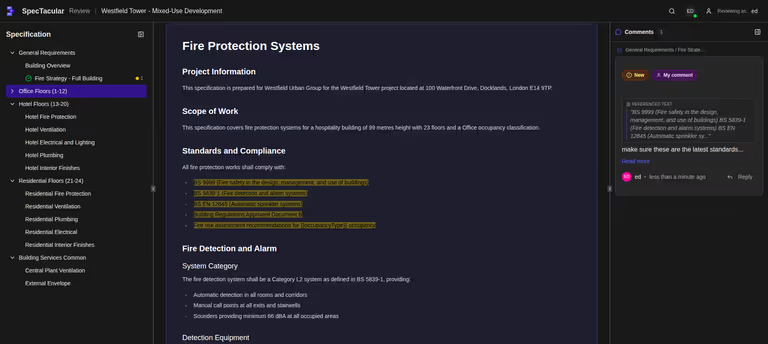
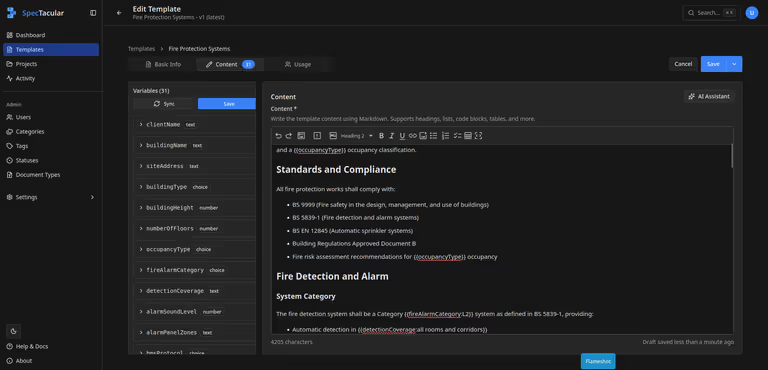
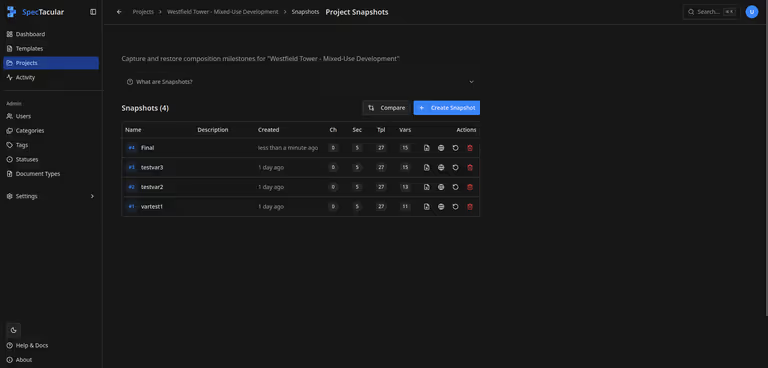
I went into the demo thinking it would be another standard document management tool. Then I saw how templates compose into full specs with version tracking on both levels. That's a different thing entirely.
Engineering Consultant
The reviewer workflow looks great. Low friction to set up, and reviewer comments have clear statuses, so they are easy to track. No more getting lost in red-lined documents and email threads.
Project Manager
Using template variants where client-specific deviations from company standards come into play is really clever. Many companies lose sight of what their standards actually are, and inherited specs become the norm.
Technical Sales Director
Template variables are a standout feature. At first I didn't get it, but seeing it in action, it really clicked!
Engineering Consultant
The AI-assisted template analysis using a locally running AI system was a very cool feature. This is how you leverage AI in a smart way, without fear of privacy violations.
Compliance Lead
Update a clause once, every project using it gets flagged. I immediately saw how that would change our compliance workflow.
Regulatory Affairs Manager
Being able to reliably manage updates to a spec as a project develops is a big win. As-built specs are typically a real pain and I can see this making life a lot easier on that front.
Project Operations Officer